
HTML to Text Converter
An HTML to text converter that reads markup the way a browser does: every tag drops, entities decode, and paragraphs, lists and tables survive as clean plain text. Scripts, styles and Outlook conditions never leak through. Paste below or drop a file.
How the HTML to Text Converter handles your markup
The converter drops markup and decodes references; it never rewrites your words. Attribute values other than alt text and link URLs are discarded, and a lone < inside text stays text, exactly as a browser renders it.
Read the privacy policy.What a tag-only strip leaves behind
A regex that deletes <tags> is one line of code, and it shows. Each row runs this site's HTML to text engine on a real snippet, so the last column is the actual return value, not a promise.
| Construct | A tag-only strip gives you | This tool returns |
|---|---|---|
Script content<script>ga('send');</script>Ready | The JavaScript, glued to your text | Ready |
Style block<style>p{margin:0}</style>Ready | The CSS rules, glued to your text | Ready |
Outlook conditionsHi<!--[if gte mso 9]><xml><o:p>96</o:p></xml><![endif]-->! | Conditional fallback markup, often still there | Hi! |
Head and title<head><title>T</title><meta></head><p>ok</p> | The page title jammed against the body | ok |
Character referencesTom & Jerry's — café | & and ' stay literal | Tom & Jerry's — café |
Lists and tables<ul><li>alarm</li></ul><table><tr><td>08:00</td><td>run</td></tr></table> | Every cell glued into one line | • alarm 08:00 run |
The middle column describes the classic <[^>]*> strip. Your regex may differ; the leak pattern does not.
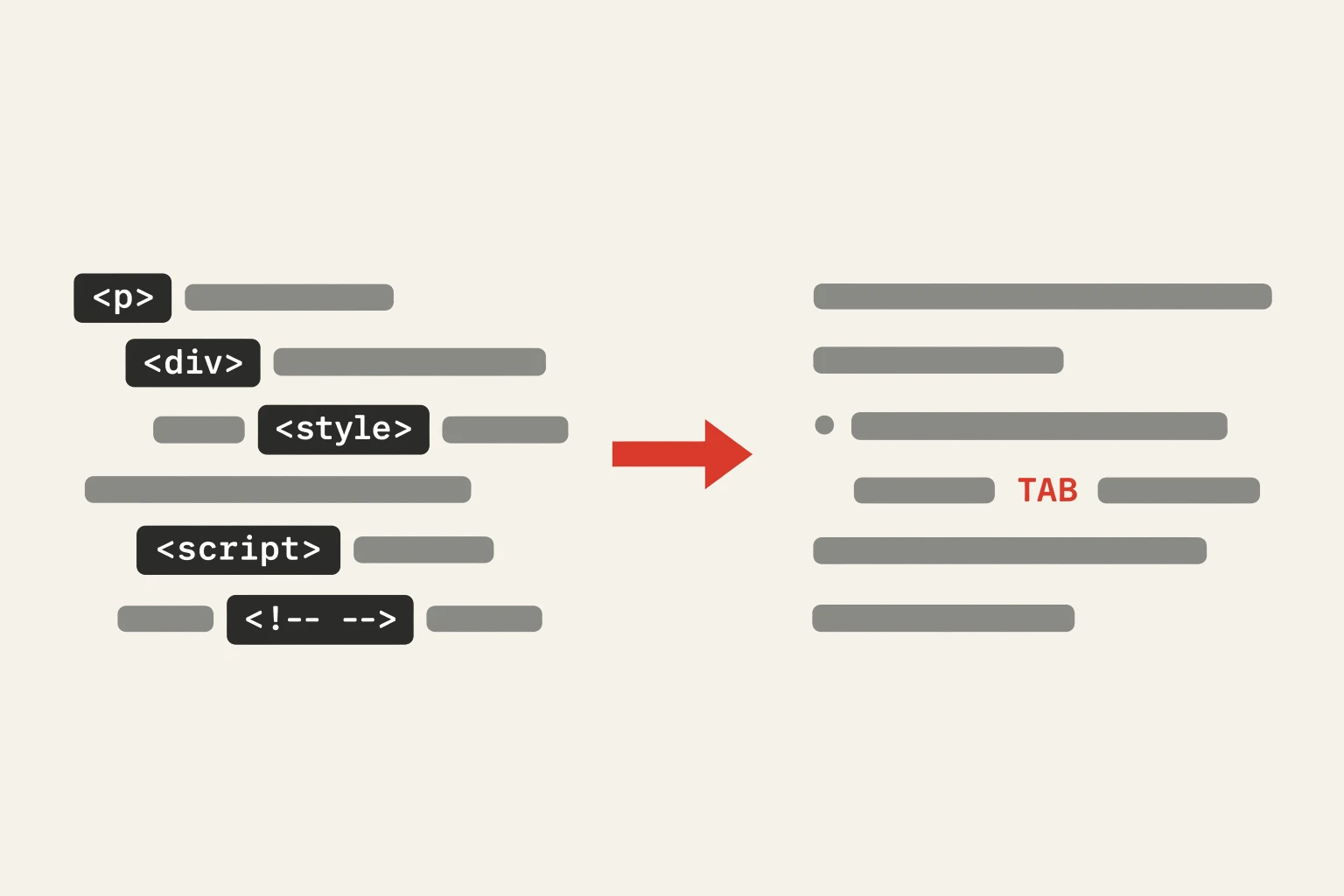
HTML to text, with nothing left behind
Converting HTML to text is easy to fake and hard to finish. Tags are the easy part; the leftovers are where tools fall over. This converter walks the markup the way a browser's parser does: raw-text blocks like script and style drop whole, comments and Outlook conditional markup drop, the head with its title and meta tags drops, and character references decode to real characters. Paragraph tags become blank lines, list items gain bullets or numbers, and table cells land tab-separated so the result pastes straight into a spreadsheet.
Everything runs in your browser. Paste, drop an .html or .txt file up to 1 MiB, flip the three options if the defaults are not yours, and copy or download the text. No account, no upload, no queue.
From Outlook markup to readable text
A real newsletter's markup, conditional comments and all. The email preset reads alt text and appends link URLs; the right side is the exact HTML to text return.
<!--[if gte mso 9]><xml><o:OfficeDocumentSettings><o:PixelsPerInch>96</o:PixelsPerInch></o:OfficeDocumentSettings></xml><![endif]--> <table cellpadding="0" cellspacing="0"><tr><td style="padding:24px"> <img src="https://cdn.example.com/banner.png" alt="SPRING SALE - 40% OFF" width="600"> <h1 style="font-family:Arial">Your weekly digest, Jae</h1> <p style="line-height:1.6">Three stories we loved this week — starting with <a href="https://news.example.com/weekly?utm_campaign=digest&id=42">quiet quitting returns</a>.</p> <ul><li>The 4-day week, two years in</li><li>Why spreadsheets still win</li><li>A tracker that deletes itself</li></ul> <p>Cheers,<br>The Digest team</p> <p style="font-size:11px;color:#999"><a href="https://news.example.com/unsub?e=abc">Unsubscribe</a> · 1 Footer Lane</p> </td></tr></table>
SPRING SALE - 40% OFF

Your weekly digest, Jae

Three stories we loved this week — starting with quiet quitting returns (https://news.example.com/weekly?utm_campaign=digest&id=42).

• The 4-day week, two years in
• Why spreadsheets still win
• A tracker that deletes itself

Cheers,
The Digest team

Unsubscribe (https://news.example.com/unsub?e=abc) · 1 Footer Lane
The right side is this engine's exact return value for the left side, email preset on.
Questions before you convert
How do I keep line breaks when I convert HTML to text?
You already do: structural tags become the breaks. Paragraphs get a blank line between them, headings and list items start new lines, <br> keeps its break, and table rows end with one. Only collapsed whitespace and extra blank lines disappear, so the result reads the way the page did.
Are HTML entities like & or ' decoded?
Yes. Named references (amp, nbsp, copy, mdash and about a hundred more) and numeric ones (' or ') decode to real characters. becomes an ordinary space so pasted text carries no invisible non-breaking bytes. An unknown reference stays literal, exactly as a browser renders it.
Where did the CSS and JavaScript from my file go?
Dropped whole, content included. A <script> or <style> block is one region from its opening tag to its closing tag, so the code inside never reaches the text. The same goes for comments, Outlook conditional markup, and the head with its title and meta tags.
Can I paste the result into Excel?
Table cells separate with tabs, one row per line, so pasting into a spreadsheet keeps the columns. Everything else is plain text: bullets survive as characters, links stay words (plus the URL if you switch that option on), and no styling rides along.
Is my HTML uploaded anywhere?
No. The HTML to text conversion runs entirely in your browser; nothing leaves the site. You can also drop an .html, .htm or .txt file up to 1 MiB, and it is read locally the same way.
Does it convert Markdown, or turn text back into HTML?
Neither. Markdown syntax belongs to the Markdown to text converter, and this tool only runs one direction, markup to text. Inline HTML inside a Markdown file, though, is fair game here: paste it and the tags go.
Read the guide to removing AI formatting from text
Markdown syntax is a different job: the Markdown to Text Converter strips itFor the full AI-paste stack, use the AI Text CleanerNeed a full format cleanup? The homepage tool strips rich formatting of every kind.