
Invisible Character Remover

An invisible character remover with every class in the open: paste text, and the tool strips zero-width marks, byte order marks, non-breaking spaces, direction controls, and hidden characters, while every strike lands in the Removed tab with its code point. Free, no login, nothing uploaded.

Removal classes

All four classes are on by default. Uncheck Direction controls before cleaning Arabic or Hebrew text: those marks hold right-to-left order in place. Uncheck Non-breaking spaces if a downstream format expects them.

Input up to 1 MiB per run.Processing runs in your browser; nothing is uploaded.
How the Invisible Character Remover handles your text

The invisible character remover deletes or replaces only characters with no glyph of their own. Every visible letter, digit, mark, tab, and line break survives, and an emoji joiner stays inside its sequence. To strip spacing you can see, use the Whitespace Remover instead.

Read the privacy policy.
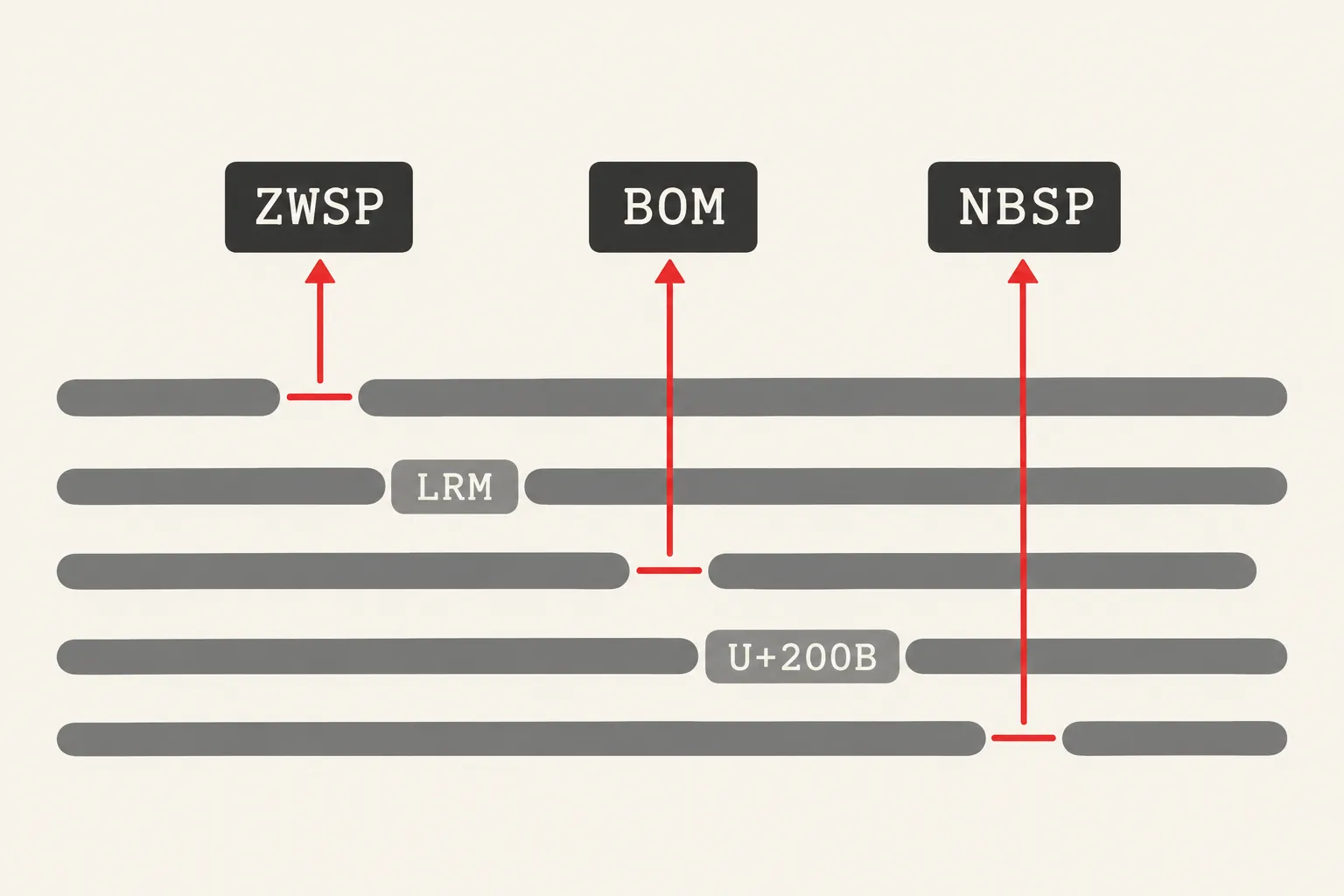
Illustration of the invisible character remover lifting hidden marks out of lines of text while visible words stay in place
Hidden marks out; emoji and words keep their shape.

What the invisible character remover removes

An invisible character is a code point with no glyph: it sits between or inside your words and quietly changes counts, lookups, and column joins. The invisible character remover finds each one and deletes or replaces it by class: zero-width spaces, word joiners, byte order marks, non-breaking spaces, direction marks, and control characters. Paste, run, and read the Removed tab, where every strike shows its code point and its rule. The engine is the same one the homepage cleaner uses for its invisible layer, here with the toggles in your hands.

When you remove invisible characters this way, the boundary is published rather than implied: the table below lists every family with its code point and the exact verdict the engine returns for it, and two of them are kept on purpose.

The character classes, spelled out

One row per family this page handles, with the code point and the verdict the engine returns. Red rows go, amber rows become a normal space, muted rows stay by design.

CharacterWhat it looks likeUnicodeResult
Zero-width spaceNothing at all, between wordsU+200BBecomes a space
Zero-width non-joinerNothing at all, inside wordsU+200CBecomes a space
Zero-width joiner inside emojiHolds multi-part emoji togetherU+200DKept
Stray zero-width joinerNothing at all, outside emojiU+200DRemoved
Word joinerNothing at all, after abbreviationsU+2060Removed
Byte order mark (BOM)Invisible, usually first in a fileU+FEFFRemoved
Soft hyphenA hidden hyphenation pointU+00ADRemoved
Non-breaking spaceLooks like a space, is not oneU+00A0Becomes a space
Narrow no-break spaceA thin space in French text and unitsU+202FBecomes a space
Direction marks (LRM, RLM)Nothing; steers script orderU+200E, U+200FRemoved
Bidi overrides and isolatesNothing; can flip word orderU+202A–202E, U+2066–2069Removed
Control charactersBeeps, page breaks, escapesU+0000–001F, U+007FRemoved
Replacement characterA black diamond with a question markU+FFFDRemoved
Variation selectorsNothing; switches emoji styleU+FE00–FE0FKept

Every Result cell is produced live: the page runs this page's invisible character remover on a one-character sample of each family and prints the verdict. Kept rows are deliberate: an emoji joiner holds πŸ‘©β€πŸ’» together, and variation selectors switch emoji presentation, so removing them would break rendering.

One messy paste, three views

The same broken paste through the three views: what hides inside it, the full sweep, and the RTL-safe preset that spares direction marks. Badges come from the invisible character remover's own pass, not a mock-up.

What hides in the sample
Detected Removals:Zero-Width (ZWSP)Γ—4NBSP SpaceΓ—1Removed TextΓ—2
[BOM]Q3 notes (offi[SHY]cial draft) rev[ZWSP]enue[NBSP]grew 12%, ship [ZWJ]v2 πŸ‘©β€πŸ’» on Friday[LRM] Backup[U+07] line
All classes on
Q3 notes (official draft)
rev enue grew 12%, ship v2 πŸ‘©β€πŸ’» on Friday
Backup line
RTL-safe preset
Detected Removals:Zero-Width (ZWSP)Γ—4NBSP SpaceΓ—1Removed TextΓ—1
[BOM]Q3 notes (offi[SHY]cial draft) rev[ZWSP]enue[NBSP]grew 12%, ship [ZWJ]v2 πŸ‘©β€πŸ’» on Fridayβ€Ž Backup[U+07] line

The RTL-safe card reports one fewer removal: its direction mark stays in the text, invisible, because that preset keeps direction controls. Emoji stays whole in every view.

Where hidden characters come from

Hidden characters rarely type themselves in. They ride in from these four places, and the fix differs a little each time.

AI chatbot output

Chat output can carry zero-width spaces and stray joiners as artifacts of training data and tokenization. They survive copy and paste, which is why cleaned-looking AI text can still misbehave in a CMS.

Tell: character count larger than the visible text.

Send AI output through the AI Text Cleaner

Spreadsheets

Exports carry non-breaking spaces (U+00A0) and byte order marks. Excel's TRIM and CLEAN functions do not touch either, so VLOOKUP and COUNTIF keep failing after a workbook looks clean.

Tell: =VLOOKUP fails on values that look identical.

Open the Excel cleanup guide

Web copy and file exports

Pages and files often start with a byte order mark, and CMS rich-text fields inject soft hyphens inside long words. Both come along when you copy.

Tell: a line starts with characters that refuse to match.

Chat apps and terminals

Messaging apps insert direction marks around mixed-script names, and terminals log control bells and escapes. Paste them into code and strings quietly break.

Tell: a bell sound or flipped word order in mixed RTL text.

Questions about hidden characters

How do I find invisible characters in my text?

Paste your text into the invisible character remover and open the Removed tab. Every hidden character shows up as a badge in place: [ZWSP] for a zero-width space, [BOM] for a byte order mark, [NBSP] for a non-breaking space, with a count on each run. Nothing is guessed; the list is the tool's actual pass.

Do AI chatbots like ChatGPT add hidden characters?

They can. Zero-width spaces and stray joiners show up in some chatbot output as formatting artifacts from training data and tokenization. They are not a deliberate watermark, and stripping them does not change how AI detectors score the text. If the whole paste needs cleanup, the AI Text Cleaner handles the visible layer too.

Will removing invisible characters break emoji or Arabic text?

Emoji survive. A joiner inside a real emoji sequence, like the one in πŸ‘©β€πŸ’», is kept because the sequence falls apart without it; only stray joiners go. For Arabic and Hebrew, direction marks are load-bearing: uncheck Direction controls before you run the invisible character remover, and the text keeps its right-to-left word order.

Why did my character count drop after cleaning?

Because the count was never honest. Counters tally every code point, including the ones you cannot see, so a BOM or a run of zero-width spaces inflated it. Removing invisible characters brings the count down to what a reader actually sees. Spaces that replace non-breaking or zero-width characters keep the same width, so the drop comes only from true deletions.

Excel TRIM and CLEAN still leave junk. Why?

Both functions have a blind spot. CLEAN deletes only C0 controls (U+0000 to U+001F), and TRIM collapses only the regular space. A non-breaking space (U+00A0), a zero-width space (U+200B), or a BOM (U+FEFF) sails through, which is why lookups still fail after cleaning. Paste the column through this tool, or follow the Excel cleanup guide.

Is my text uploaded anywhere?

No. The invisible character remover runs entirely in your browser: the paste never leaves the page, there is no account, and nothing is stored. It is the same engine the rest of this site runs, wired to the hidden-character classes.

How is this different from the Whitespace Remover or Punctuation Remover?

Each owns a different class. The Whitespace Remover manages spacing you can see: runs, tabs, and blank lines, with modes. The Punctuation Remover takes visible marks. This page owns the invisible layer, the characters with no glyph at all, so the three tools cover a full cleanup without overlapping guesses.

Read the guide to removing AI formatting from text

Spacing you can see, like doubled spaces and blank lines, belongs to the Whitespace RemoverFor the full AI-paste stack, markdown included, use the AI Text CleanerNeed a full format cleanup? The homepage tool strips rich formatting of every kind.