Punctuation Remover

Remove punctuation from text in your browser: paste it, choose what survives, run it, and copy the clean result. Free, no login, nothing leaves your device.

What survives

All punctuation removes every mark. Keep word marks spares apostrophes, hyphens, and decimals. Keep sentence marks also spares periods, commas, and friends.

Paste text or open one .txt file (max 1 MiB).Removal runs locally in your browser.
What counts as punctuation

Punctuation here means the Unicode punctuation categories: periods, commas, quotes, brackets, dashes, slashes, and their kin. Currency and math symbols like $, +, and = are not punctuation and never change. Removals join neighbors cleanly: contractions mash (dont), decimals fuse (314), and doubled spaces collapse to one. Nothing in your text is uploaded.

How this site handles data

Punctuation out, on your terms

Every punctuation remover has a secret: one keeps apostrophes, one preserves decimals, one quietly strips your dollar signs, and none of them says so before you paste. This one publishes the boundary instead. Punctuation means the Unicode punctuation categories, symbols like $ and + are untouched, and the three survival modes are named choices you make before running anything.

The modes map to the real jobs: All punctuation for data lists where nothing should survive, Keep word marks when contractions, compound words, and decimals must stay readable, Keep sentence marks when the sentences should still read like sentences. Spacing is handled too: removals join neighbors cleanly instead of leaving doubled spaces behind. For dash conversion or the AI punctuation bundle, the sibling tools below cover those jobs.

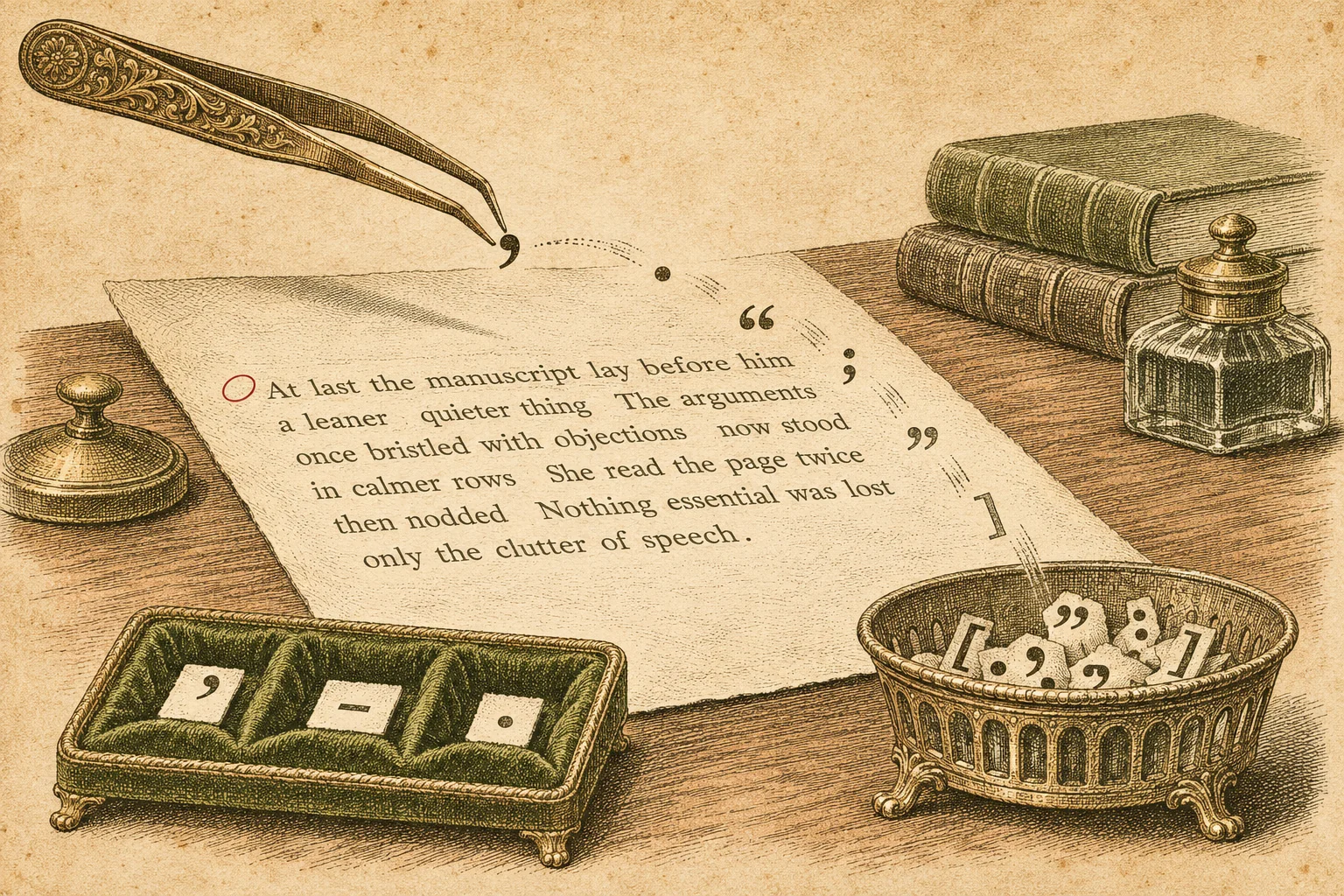
Illustration of punctuation marks being plucked off a printed text page with brass tweezers, apostrophes and hyphens spared in a velvet tray, leaving clean readable sentences
Marks out, words intact: the only job of a punctuation remover.

Three modes, one boundary

Every mode removes the same punctuation classes; the difference is what survives when you remove punctuation for a given destination. Pick by where the text is going.

01

All punctuation

Every mark goes: quotes, brackets, commas, periods, the lot. For data lists and keyword cleanup where only the words matter. Contractions mash to dont and decimals fuse to 314, exactly like a plain deletion.

Hello, world! becomes Hello world

02

Keep word marks

Apostrophes beside letters, hyphens between word characters, and periods between digits survive. Meant for prose and reports where dont and 314 would read as errors.

don't, well-known, 3.14 stay; commas and quotes go

03

Keep sentence marks

Everything from Keep word marks, plus sentence punctuation (. , ; : ! ?) stays. For cleaning decorative noise, quotes and brackets, while the sentences still read like sentences.

"clean" this; (now) becomes clean this; now

What counts as punctuation here

The boundary follows the Unicode punctuation categories, and the table is the exact behavior of the tool above, pinned by this site's automated tests. Symbols are not punctuation: they never change in any mode, so when you remove punctuation here the dollars and plus signs stay.

PatternExampleAllKeep word marksKeep sentence marks
Classic marksHello, world!removedremovedkept
Apostrophe in a worddon'tremoved (dont)keptkept
Compound or range hyphenwell-knownremoved (wellknown)keptkept
Period between digits3.14removed (314)keptkept
Sentence marksend; next?removedremovedkept
Quotes and brackets"x" [y]removedremovedremoved
Currency and math$100, 2 + 2keptkeptkept
Letters, digits, CJKabc 123 中文keptkeptkept

Removals join neighbors cleanly: a mark between two words joins them directly ((hello) becomes hello), a removal next to typed spaces collapses the run to a single space, and marks at line edges take their padding space along. Line breaks never change. Curly quote and em dash conversion are separate jobs on the sibling pages.

One sentence, three survivals

A marked-up sentence run through every mode. Red marks what All punctuation strikes; to remove punctuation but keep words readable, the word and sentence modes hold their ground.

Text with punctuation
Report: "Q3 was well-known for growth, don’t you think?" (Revenue: $2.4M, up 3.5%); next quarter!
All punctuation
Report Q3 was wellknown for growth dont you think Revenue $24M up 35 next quarter
Keep word marks
Report Q3 was well-known for growth don’t you think Revenue $2.4M up 3.5 next quarter
Keep sentence marks
Report: Q3 was well-known for growth, don’t you think? Revenue: $2.4M, up 3.5; next quarter!

Every output is computed from the same original by the engine this site ships; your input is never modified until you remove punctuation.

How to remove punctuation from text

  1. 01

    Paste or open

    Paste the text, or open one .txt file up to 1 MiB. The file is read in your browser and never uploaded.

  2. 02

    Pick what survives

    All punctuation for data lists, Keep word marks for prose and numbers, Keep sentence marks to keep sentences readable. Switching after a run recomputes from your original input.

  3. 03

    Copy or download

    Copy the clean text anywhere, or download it as a .txt file. The Removed tab shows every mark that was stripped, in place, with its spacing rule.

Punctuation remover FAQ

How do I remove punctuation from text?

Paste the text into the punctuation remover above, pick what should survive, and press Remove punctuation. Copy the result or download it as a .txt file. It is free, needs no account, and everything runs in your browser.

What counts as punctuation here?

The Unicode punctuation categories: periods, commas, colons, semicolons, question and exclamation marks, quotes and apostrophes, brackets and parentheses, dashes, slashes, and their curly forms. Currency and math symbols ($ + = <) belong to the symbol categories, not punctuation, so they never change. The table above lists every pattern with its per-mode behavior.

Will "don't" become "dont"?

In All punctuation mode, yes: the apostrophe is removed and the words join. Choose Keep word marks and apostrophes beside letters survive, so contractions and possessives stay readable. That mode also keeps hyphens in compound words and periods between digits.

What about hyphens and number ranges?

A hyphen between word characters, like well-known or 2024-25, survives in Keep word marks and Keep sentence marks. Standalone dashes, list bullets, and the em dash family are decoration in every mode here; the Em Dash Remover converts those to hyphens, commas, or spaces if that is the job you need.

Will decimals like 3.14 survive?

In All punctuation mode a period between digits is removed and the digits fuse (314), matching a plain character deletion. Keep word marks and Keep sentence marks keep periods between digits, so 3.14 and 99.9 survive as written.

What happens to the spacing?

Removals join neighbors cleanly. A mark between two words joins them directly, a removal next to typed spaces collapses the run to a single space, and marks at the start or end of a line take their padding space along. You never get doubled spaces from this tool, and line breaks never change.

Does it remove $, %, +, or #?

Dollar, plus, and equals are symbols, not punctuation, so they stay in every mode. Percent, at-sign, and hash are punctuation in Unicode, so they go with the rest unless a keep mode protects them. If you need symbols and invisible characters removed too, the homepage tool covers the full set in one run.

How do I strip punctuation in Python or Excel?

Python has string.punctuation and regex recipes for scripted jobs; Excel has Find and Replace and flash fill. For one-off pastes the browser route is faster: remove punctuation here, copy back, with the Removed tab showing exactly what went before you trust the output.

For Word and Docs formatting controls, read the formatting guide.

Only the dashes need converting? Em Dash Remover replaces them in one run.Digits in the text stay in every mode here; the Number Remover owns them.Marks gone but empty lines left? Remove Blank Lines cleans the gaps.Need symbols and hidden characters gone too? The homepage tool strips the full set.